

Highlights: Remote Access, iOS Widgets, Optimizer and more
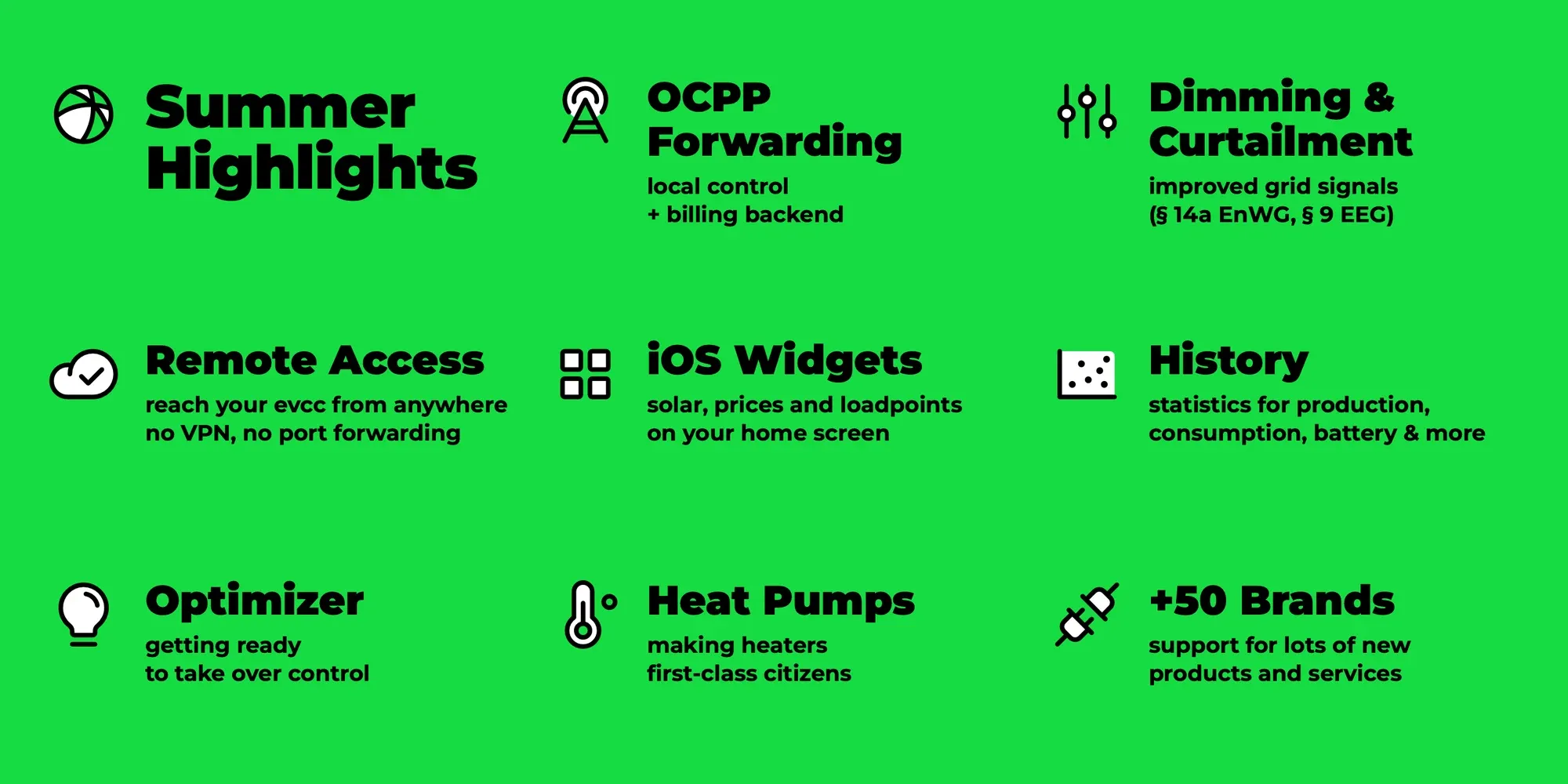
Half a year has passed since the last highlights post. A lot has happened since then with releases 0.301 to 0.311: a new navigation, widgets in the iOS app, remote access, time-based statistics and much more. In this blog post, we pick out a few of our highlights and give a brief outlook on our further plans.
Interface Overhaul
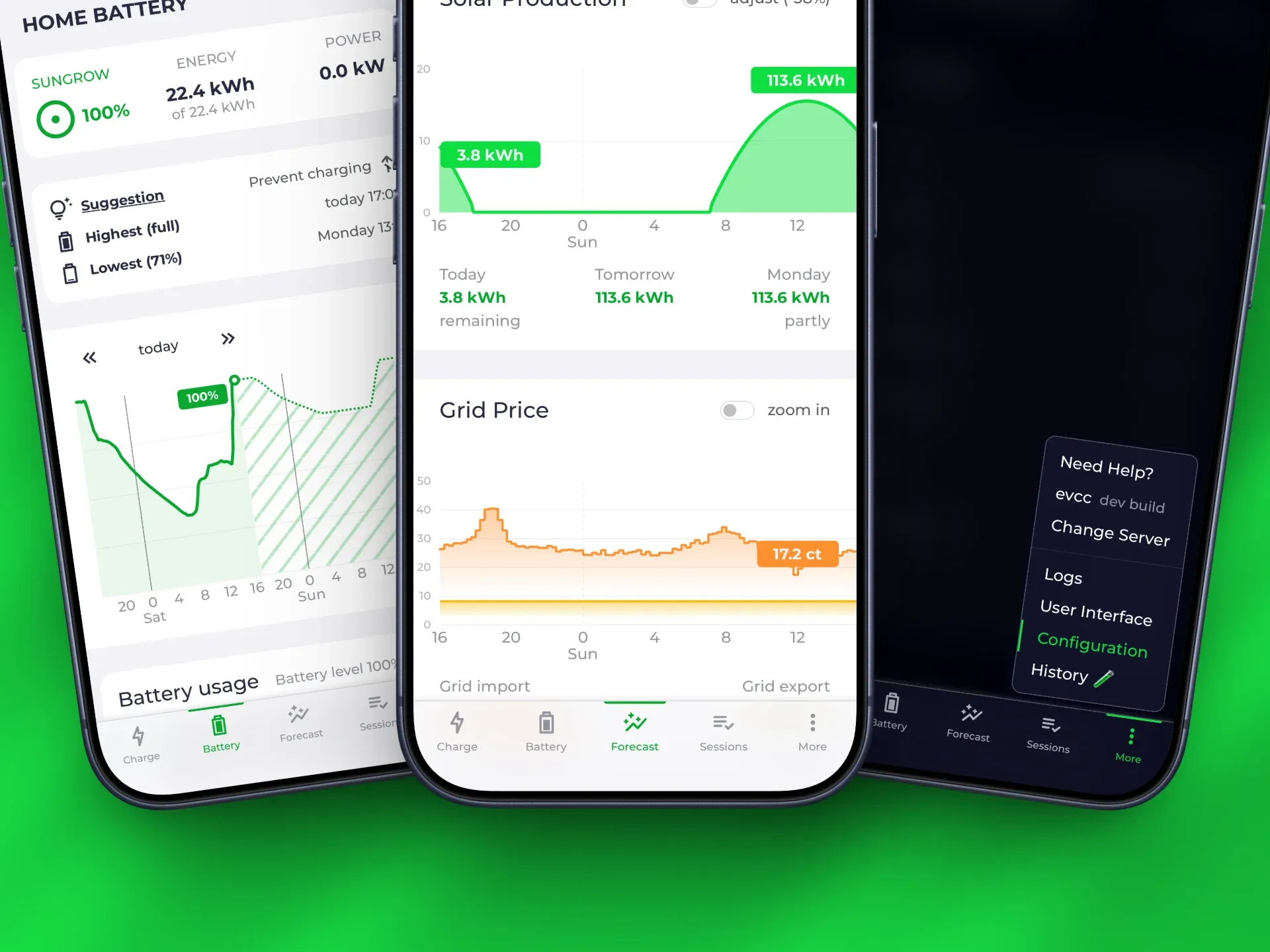
Section titled “Interface Overhaul”The interface has received a new navigation at the bottom of the screen. The sections Charge, Home Battery, Forecast, Sessions and More now get you to all functions faster. Battery and forecast have received their own pages instead of hiding in modals in the hamburger menu as before. The battery page shows the current values along with the forecasted state of charge development (experimental, more on the optimiser later). The navigation also gives you a subtle hint when a new evcc version is available. The frequently requested update button right next to the changelog is not there yet. But it’s on our list.
Along the way, more gaps in browser-based configuration have been closed: tariffs, notifications, EEBus and external limits can now be set up via forms instead of YAML editing. Only load management currently still needs to be configured via a large YAML block.
App: Widgets & Multiple Servers
Section titled “App: Widgets & Multiple Servers”The evcc app has received some new features in recent months.
iOS Widgets: Loadpoint status, solar forecast, grid import price, grid export price and CO₂ forecast are now available as widgets right on your home screen. One tap deep links you to the matching place in the app.
Multiple Servers: You can now manage multiple evcc instances in the app, e.g. for your home, your parents or your holiday house. Switching works via More → Change Server.
QR Code Setup: Setting up a new instance works by scanning a QR code straight from the web interface. You no longer have to enter the server address and credentials by hand. This is especially helpful when you prepare an installation for someone else. More about the options can be found in the app reference.
Special thanks to Maschga for continuously improving the app.
Remote Access
Section titled “Remote Access”Many of you want to keep an eye on your system while away from home. Our recommendation so far has been to set up a VPN for this. Along the way, we have often heard the wish for a simpler solution.
This topic has been on our minds for a long time. Over the past years, we have built many prototypes and discarded them again. Our requirements: high security, no data storage on our servers, transparency, ease of use and a high degree of local control.
With the new, experimental Remote Access, we now have a solution that fits.
Your instance gets its own domain on evcc.cloud.
The connection runs through a tunnel that your instance opens outbound itself.
No port forwarding in your router is required.
The nice thing about this solution is that it is technically very simple.
At its core is the hashicorp/yamux library, which lets us route incoming internet traffic securely to the right local evcc instance, transport-encrypted via TLS.
The actual authentication happens on your local instance: credentials are stored and verified exclusively there, and there are no user accounts in the cloud.
The service is available to sponsors and can be enabled with two clicks under Configuration → Remote Access.
Dimming and Curtailment
Section titled “Dimming and Curtailment”We have fundamentally reworked external control by the grid operator, a topic mostly relevant for Germany. The signals of an FNN control box can be read via EEBus or via switch contacts.
Dimming: Limiting controllable consumers according to § 14a EnWG has been supported for a while. It has now become better: active limits are distributed proportionally across all controllable devices and shown in the UI.
Curtailment: New is the reduction of production power according to § 9 EEG. Inverters from Huawei, Enphase, Sungrow and generic SunSpec devices can already be curtailed. You can find an overview of the curtailable devices in the device list. Here we are working on broader device support. If you know another device well, we would be happy about your contribution.
Heat Pumps & Heating
Section titled “Heat Pumps & Heating”More and more of you use your solar surplus not only for the car but also for a heat pump or electric heater. A lot has happened here as well.
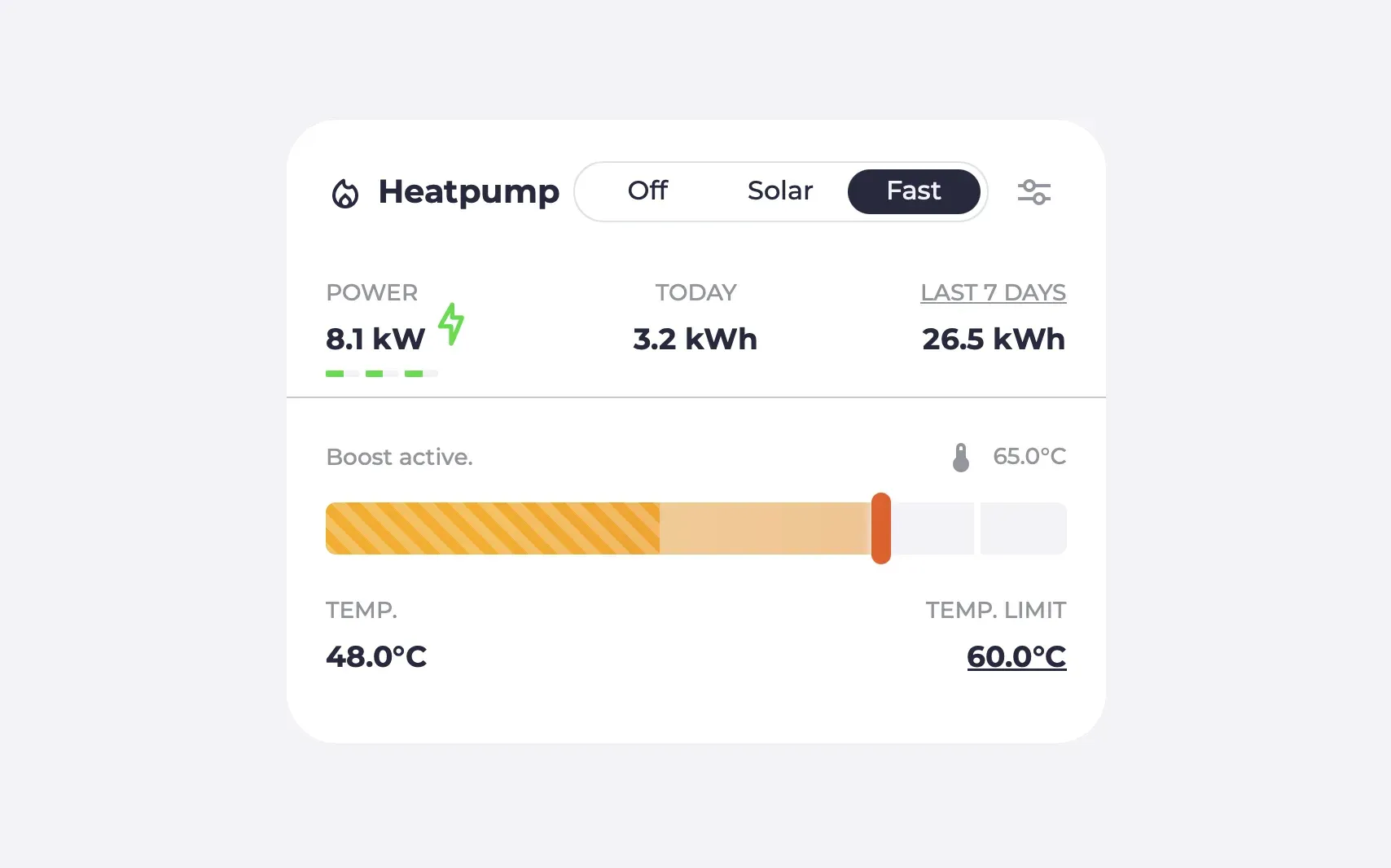
Temperatures are now displayed as a range with their own blue-to-red colour gradient, making them clearly distinguishable from loadpoints. You can configure the temperature range yourself.
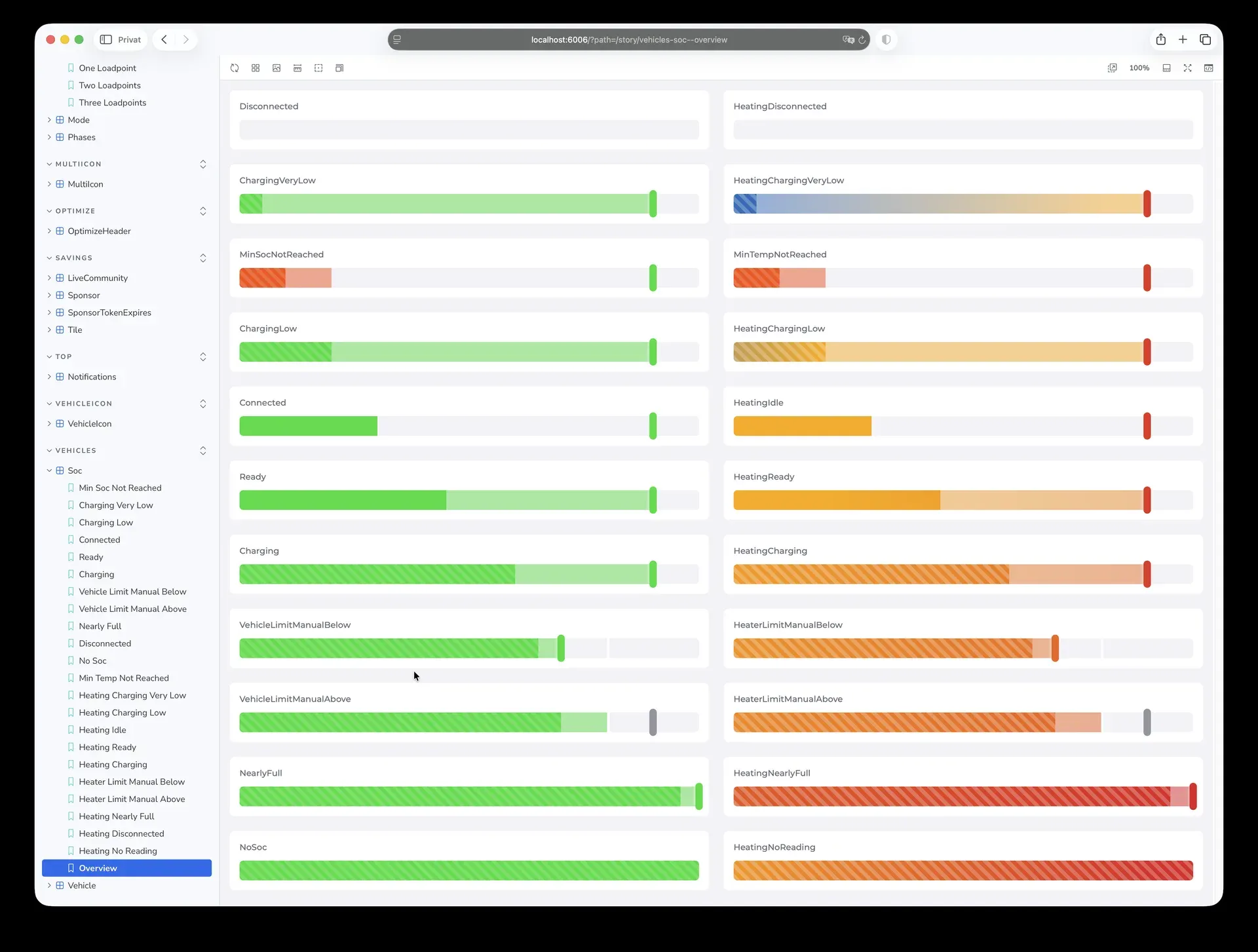
With continuous, there is a new conceptual mode for heat pumps: instead of hard on/off switching, the device keeps running on its own, which better reflects the nature of this device category. Via EEBus, we support compressor flexibility (OHPCF), which allows heat pumps to run on surplus in a targeted way.
On top of that come many new devices, from the Vaillant brand family to Glen Dimplex and Xtherma. We still have some open items like better mode naming, an adapted plan mode and time-based data recording (see below), plus further ideas like heat demand forecasts in the optimiser.
Sponsorship required: When we introduced the heating category, we announced that these devices, similar to many wallboxes, will require a sponsorship. The note has been at the top of the device list since then. With one of the upcoming releases, we will enforce this in the software.
Battery Boost
Section titled “Battery Boost”Sometimes the car needs to be full quickly, even when the sun is not delivering. With Battery Boost, you can discharge the home battery into the vehicle on demand. One click on the loadpoint is enough, charging continues until an adjustable battery limit is reached. Boost works in Solar mode.
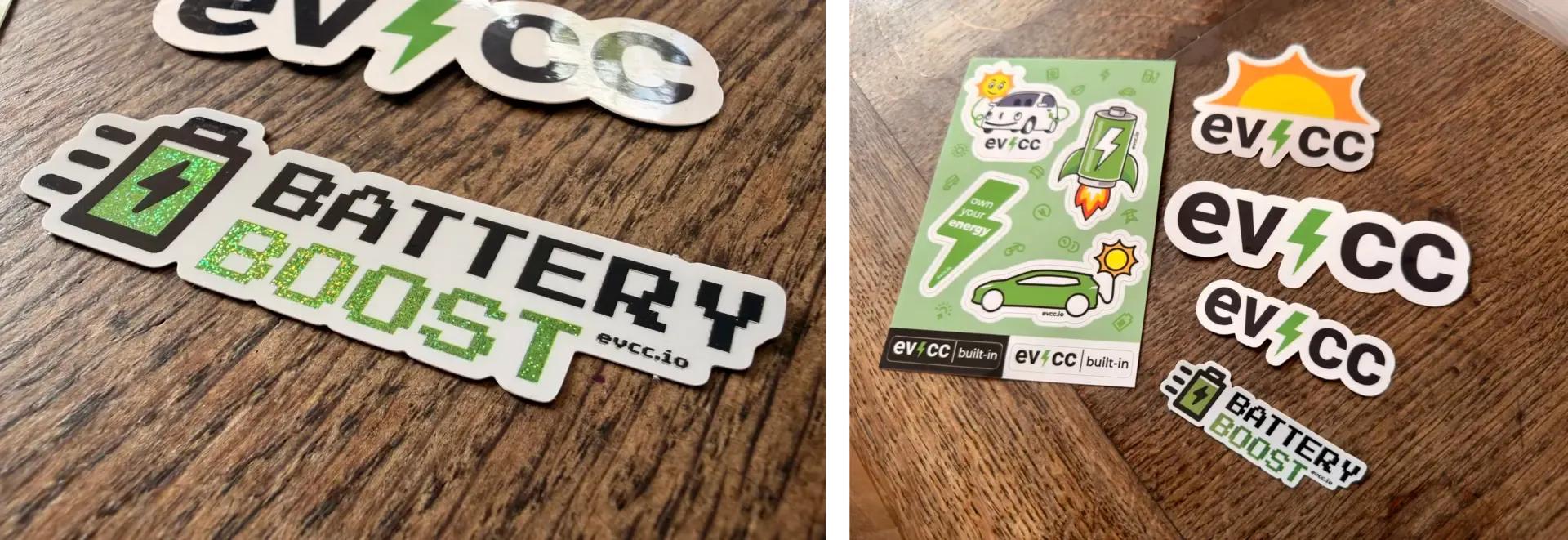
By the way, Battery Boost is the first feature that made it onto its own sticker. At the community meetup in April, we handed out a few sticker drafts and collected ideas. The sticker, with pixydust-green sparkle print, is now part of the default set in the letters to new sponsors.
OCPP Forwarding
Section titled “OCPP Forwarding”A typical case: you drive a company car and your employer reimburses the charging costs via a billing platform. Your wallbox speaks OCPP for this, but can only connect to one system. Until now, you had to choose: solar optimisation with evcc or billing via the platform.
The new OCPP forwarding solves this. Your evcc instance controls the wallbox and forwards the OCPP messages to the external backend at the same time. If desired, it blocks commands from outside and retains sole control over charging. Thanks to webalexeu for pushing this topic and building the implementation.
New Device Support
Section titled “New Device Support”Over 50 new manufacturers have been added since the beginning of the year. The device library now includes more than 320 manufacturers and over 800 products.
Wallboxes: ChargeLine, ChargeX, Enovates, ETEK, EVSE Master (Besen, Telestar, Morec), Hager, Lektrico, Nexblue, RAEDIAN, Shell Recharge, Stegen, Voltie
Heat Pumps & Heating Elements: Askoma, E.G.O., Glen Dimplex, M-Tec, OVUM, Xtherma, plus the Vaillant brand family (Saunier Duval, Bulex, Glow-worm, DemirDöküm)
Metres, Solar & Battery Systems: ADA, Afore, Atmoce, Azimut Energy, Danfoss, Eltako, Everhome, Finder, Homey, IBC Solar, IndeVolt, INTILION, IoTaWatt, Sessy, Smartstuff, Solinteg, stromleser.one, Tepto
Tariffs: BKW, CKW, Energy-Charts, EPEX Predictor, EWS Schönau, Fingrid, OMIE, Pstryk, pvnode
Vehicles: Alpine, Genesis, Lexus
Of course, there have also been many bugfixes and improvements to existing implementations. Details can be found in the release notes.
VW Group: Gone and Partially Back
Section titled “VW Group: Gone and Partially Back”Every now and then, integrations also disappear again. The situation with the VW group is a bit of a rollercoaster ride. Several group brands dropped out because the group locked out third parties like evcc, Home Assistant and others from the unofficially used API of its app. Via the detour of the new EU Data Act interface, we have made them available again, partially and with limitations. Instead of a live API, the transparency portal provides a ZIP archive with the vehicle data every 15 minutes, which your instance downloads and decodes. The group has announced a sustainable solution for smart home projects and open source. We are in contact, but have now been waiting for the manufacturer’s next step for several weeks.
History: Time-Based Statistics
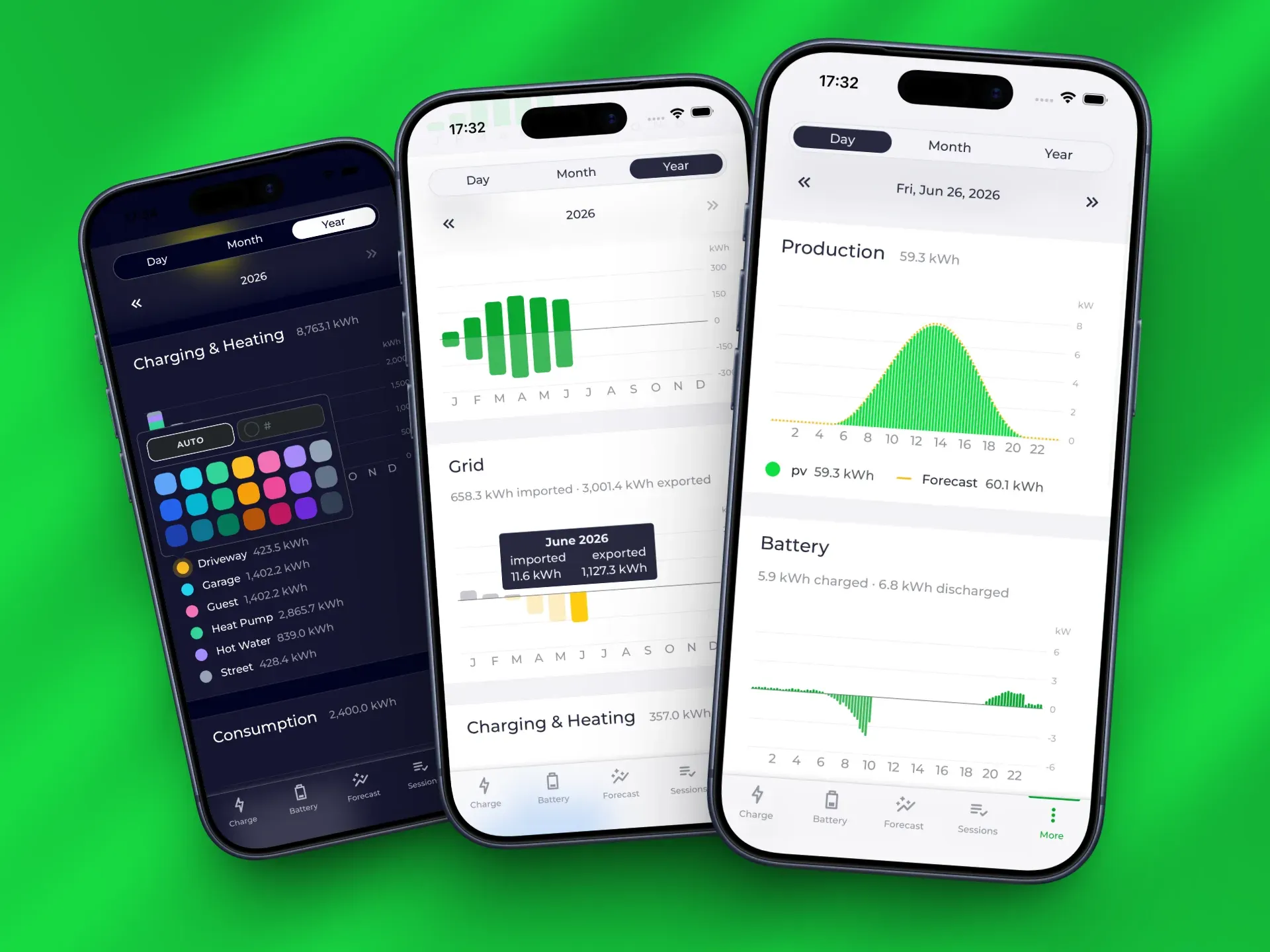
Section titled “History: Time-Based Statistics”We have started on a long-requested feature: energy data is now recorded in a structured way in 15-minute resolution, independent of charging sessions. The new, experimental History page shows grid, production, battery, charging & heating, household consumption and additional metres over time. In addition to the visual display, the data can be exported as CSV or XLSX.
Also new is the concept of consumers: it lets you break down the recorded household consumption further, e.g. by washing machine, dishwasher or toaster. Unlike loadpoints and heating devices, consumers are only recorded and not controlled.
To improve data quality, we have added support for energy metering with bidirectional metres. This records both directions: imported and exported for the grid, charged and discharged for the battery.
The topic is not finished yet. Our current focus is ensuring the correctness of the data for all supported device classes. The visualisations are therefore still deliberately simple time series. But there are already lots of ideas: in this ideas thread, you can post screenshots of statistics and visualisations that you find well done and helpful and would like to see in evcc in the future.
With this, we lay the foundation for statistics beyond EV charging. Questions like “How much solar power did the heat pump use last year?” are what we want to answer directly in the future.
Optimiser
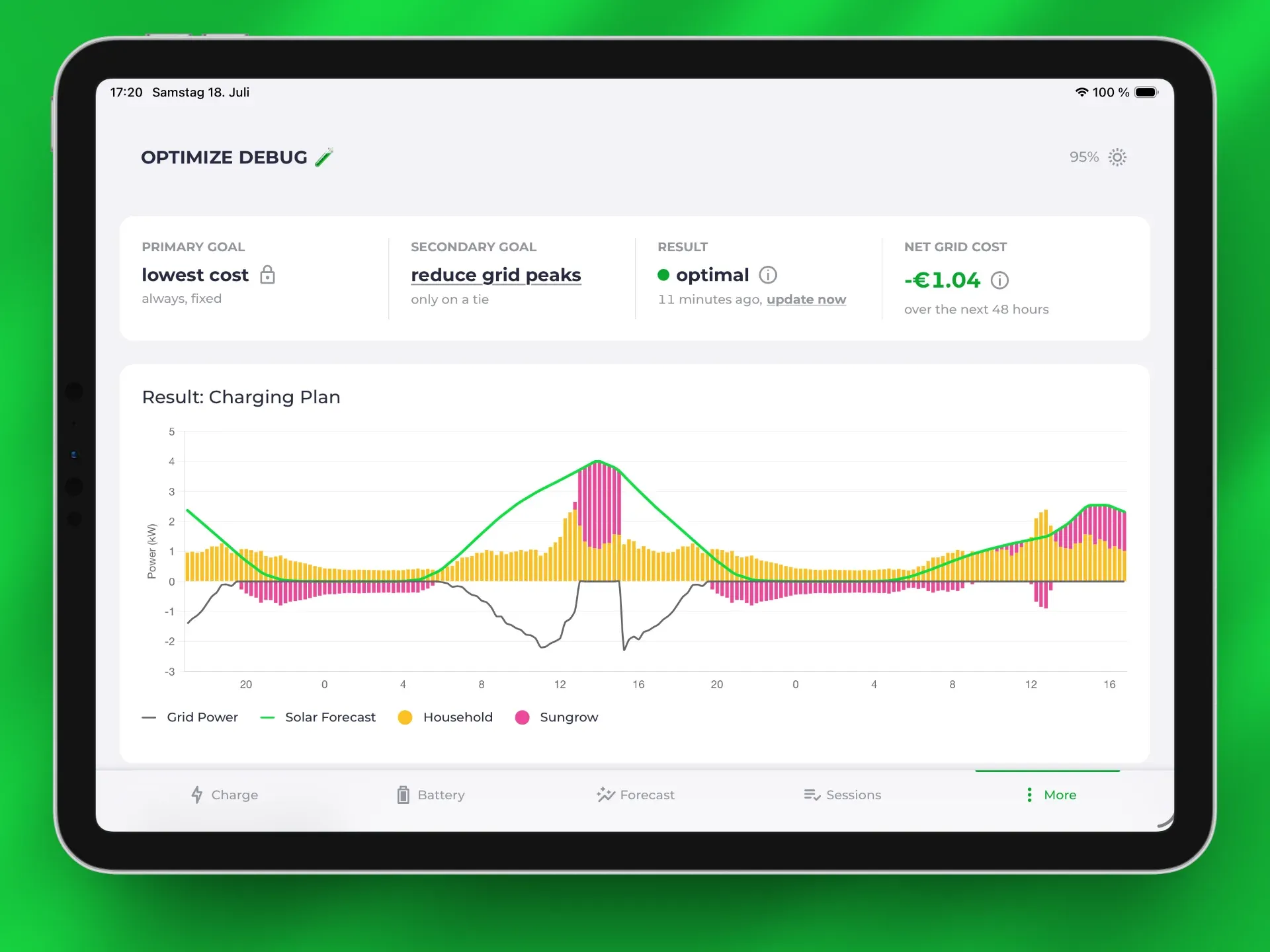
Section titled “Optimiser”So far, evcc controls based on the current energy situation in your home. Charging plans do look ahead at prices and forecasts, but always focused on a single loadpoint. The optimiser takes the big picture into view: it calculates the optimal behaviour of the entire system for the next two days, based on consumption and production forecasts as well as the electricity price curve. Freshly merged are weather forecasts, which will allow estimating and including the heat demand in the future. They were contributed by daniel309, thanks a lot!
Also new is a selectable strategy: you decide what the plan should optimise for besides cost efficiency, e.g. filling the battery first or reducing grid peaks. The optimiser’s recommendations are displayed where they matter: on the loadpoint and on the battery page, including the forecasted state-of-charge curve. The optimiser does not control any devices yet. The next step is turning the calculated plans into actions: concretely controlling the battery and loadpoint behaviour.
Sponsoring via Creem
Section titled “Sponsoring via Creem”Sponsoring is now possible without a GitHub account. At sponsor.evcc.io, you can complete your sponsorship directly, processed via the payment provider Creem, a young European company from Estonia. You can currently pay with Apple Pay, Google Pay and credit card, with more payment methods planned. Also new are token bundles with volume discounts for electricians and installers who use evcc in their customer projects. You can find all details in the sponsorship documentation.
New Documentation
Section titled “New Documentation”docs.evcc.io has been rebuilt as well. We migrated from Docusaurus to Astro Starlight. The new foundation is more lightweight, more modern and offers more freedom for extensions. Pages load faster and work without client-side JavaScript. Search now runs locally in your browser instead of via the external service Algolia. English is the new default language. Every device has its own directly linkable detail page with a parameter table, generated from the templates and with a toggle between release and nightly state. The edit function takes you straight to the source template. The REST API reference is built from the OpenAPI specification, and there is an llms.txt for LLMs.
Agentic Development
Section titled “Agentic Development”Agentic development tools have become significantly better in recent months and have changed how we work in the project, not without friction, but mostly positive. On GitHub, an agent pre-sorts new issues, pull requests receive an automatic first review, and maintainers can trigger analyses, fixes and test builds via comment. As a trial, we also let AI answer issues substantively: understanding the problem, searching for solutions and, in suitable cases, even proposing a pull request directly. The result: better issues, better pull requests and a big boost for contributions. We have documented guidelines for AI-generated contributions in the CONTRIBUTING.md.
One thing is clear, though: focus and quality remain our top priority. Generating new features has become easy. Good communication in issues and discussions is all the more important. Understanding use cases and the concrete needs behind them remains essential, even though the shortcut of the “quickly generated extra setting” is often very tempting.
Outlook
Section titled “Outlook”What are we working on next? Some plans were already touched on above: further improvements for heat pumps, more statistics based on the new data recording and the optimiser on its way from recommendation to active control. Two larger topics come on top.
Mini loadpoints: Regular consumers and heating devices are set to get their own cards with matching functions. With the time-based data and the reworked device management, the prerequisites are now in place. Details in the GitHub discussion.
Bidirectional charging: First vehicles and wallboxes capable of feeding back are present in the community (including the core team). We are working on making them usable in evcc. We are currently in discussions with manufacturers about implementation details in the standard, certificates and other technical challenges. If you have a compatible wallbox and vehicle combination at home (or work at a manufacturer), feel free to get in touch: via GitHub issue, on Slack or at info@evcc.io.
💚 We named a few contributors above, and they stand in for many more. Big thank you to everyone who moves the project forward: through code, ideas, testing, discussions and financial support, without which the project would not be possible in this form.
We wish you a sunny summer with lots of full batteries.
Best regards
The evcc Team
Michael, Andi & Uli